The Ultimate
Power-User Tool.
Instantly flip Developer Options, USB Debugging, and more directly from your notification shade. No root required. Fully open-source.
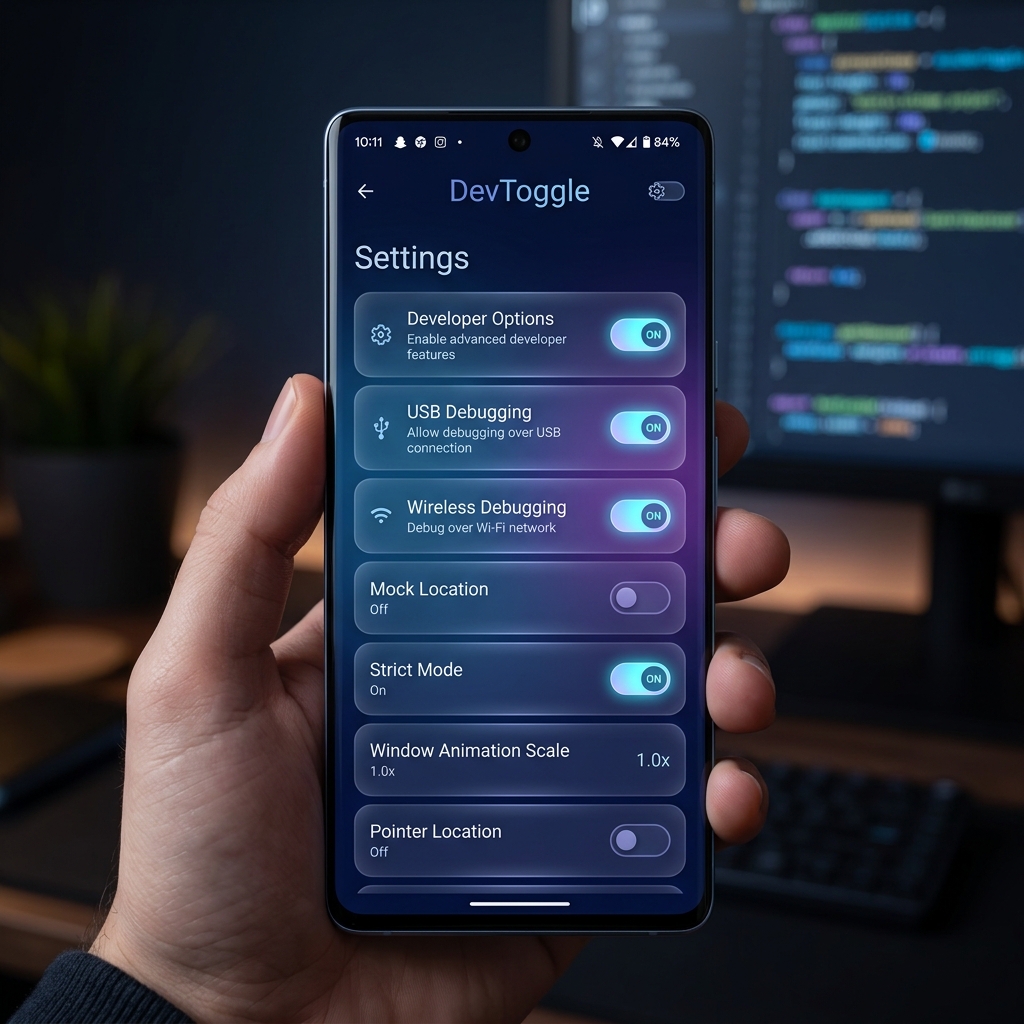
Everything You Need.
One Tap Away.
Instant Access
Forget diving through menus. Toggle your most-used developer settings directly from your Quick Settings.
Custom Groups
Turn on Developer Options and USB Debugging simultaneously with a single, programmable Quick Tile.
Privacy First
DevToggle requires exactly zero internet permissions. It operates 100% locally on your device for total peace of mind.
Material You
A stunning, modern setup application built with native Material Design 3 guidelines that adapts to your theme.
Powered by Shizuku
Modern Android prevents normal apps from altering secure system settings. DevToggle uses Shizuku to cleanly and temporarily borrow the necessary elevated permissions.
Once authorized, DevToggle integrates natively and writes directly to the Android Settings provider for blazing fast, seamless toggles.
Learn about ShizukuGetting Started
In 5 Steps
Install Shizuku
Get it from the Google Play Store or GitHub to handle elevated permissions.
Start Shizuku
Follow the app instructions to start the service via Wireless Debugging.
Open DevToggle
Launch the DevToggle app to begin the configuration process.
Grant Permissions
Tap "Grant permission" to authorize DevToggle within Shizuku safely.
Add Tiles
Edit your notification shade and drag your new tiles into active Quick Settings!
Loved by
Developers
"This app is a game-changer! No more digging through the settings app to toggle wireless debugging. Absolutely brilliant."
"Super clean Material 3 UI and works perfectly with Shizuku. I use the custom group toggle constantly."
"Finally, a secure way to manage developer options without rooting my device. DevToggle does exactly what it promises."
Frequently Asked
Questions
Does DevToggle require root access?
No, DevToggle does not require a rooted device. It securely leverages Shizuku to obtain the necessary permissions via ADB wireless debugging.
Is it safe to use Shizuku to manage Android settings?
Yes. Shizuku is a widely trusted open-source tool. DevToggle only uses Shizuku once to grant itself the standard Android WRITE_SECURE_SETTINGS permission. It does not run background processes or connect to the internet.
How do I turn on USB Debugging quickly without going to Settings?
Simply install DevToggle, link it with Shizuku, and drag the "USB Debugging" tile into your Quick Settings notification shade. You can now toggle it with a single tap.
Will this drain my battery?
No. DevToggle contains no background services and collects absolutely zero analytics. It only executes exactly when you press the Quick Setting tile.